User guide
How to use OrionNaut
How to make images, video, voice and music, screen by screen — plus how credits work and what to do when something is off.
New here? Read 1 and 2 and you can finish something today. If you already know what you want to make, jump to that chapter from the contents.
1Getting started — credits and the layout
OrionNaut lets you make images, video, voice and music in one place. Every generation spends credits. Two things are worth knowing before you start.
1. Pick what to make
From the left sidebar
2. Pick a model
The credit cost is shown
3. Generate
Takes seconds to minutes
4. Saved to your library
Reuse it later
How credits work
- Your balance is at the top right. Every generate button also shows what it will cost.
- Cost depends on what you make: roughly 1–12 credits for an image, 9–120 for five seconds of video.
- Failed generations are refunded automatically. Re-rolls are not.
- Stitching and exporting video runs in your browser and costs nothing.
The one habit that saves the most
Explore framing and timing on cheap models, then commit to an expensive one. Re-rolling the same shot on a high-end model is by far the biggest drain.
The layout
| Where | What it is |
|---|---|
| Sidebar, top | Image / Video / Agent — the fastest way in, organised by what you want to make. |
| Studio | One-click generation: hand over material and a sentence, get a finished piece. |
| All tools | Single-purpose tools: background removal, upscaling, try-on and so on. |
| Library | Everything you have made. Reuse any of it as input for the next generation. |
| Projects | A box per job to keep related material together. |
| Logs | History and status of every generation, including failures. |
2Make your first one
When in doubt, do this: make one image, then bring it to life. The whole thing costs about 20–50 credits.
- 1
Make one image
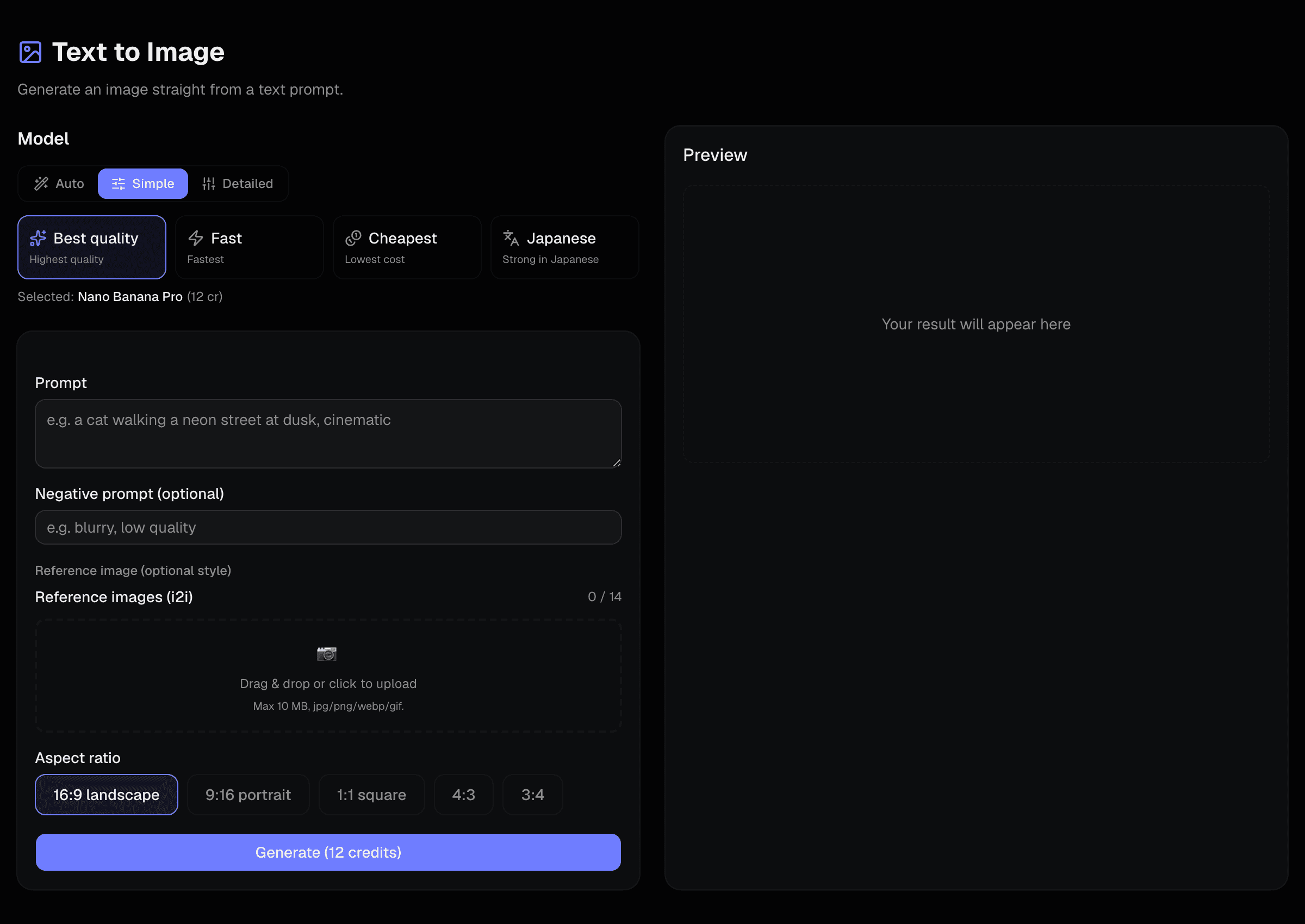
Sidebar → Image → Text to image. Describe the picture you want and generate. Sticking to the “Simple” model presets is the safe path.
- 2
Re-roll until you like it
Do this on a cheap model. Once the composition is right, switch to the quality preset for the real one.
- 3
Turn it into video
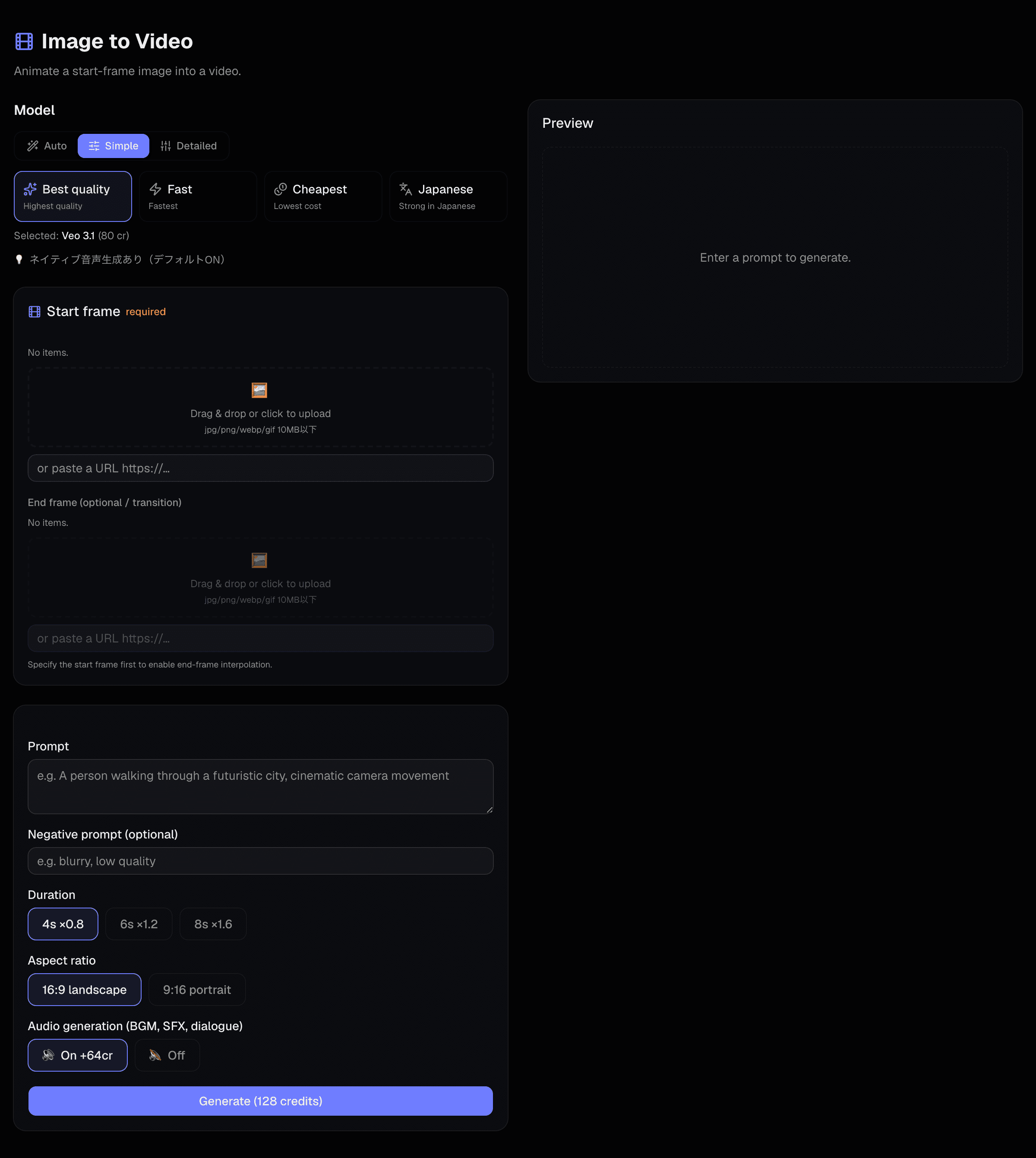
Sidebar → Video → Image to video. Pick the image from your library and describe how it should move.
- 4
Finish it
Add narration with the Narration tool, or a track with Music. Stitching costs nothing.
If model choice is confusing
Pick “Auto” and we choose a model for you. “Simple” offers four intents — quality, fast, cheap, strong in Japanese. Only use “Detailed” when you want to pick a specific model.
3Making images
| What you want | Where | Notes |
|---|---|---|
| A picture from words | Image → Text to image | The default. Add reference images to steer style or a character. |
| Rework an image you have | Image → Image to image | Source image plus instructions — change only the clothes, only the background, etc. |
| Just a background | All tools → Background | For building the base of a scene. |
| Keep a character consistent | All tools → Character Maker | Register one and later generations can keep the same face. |
| Combine background and character | All tools → Scene compose | The composite becomes the first frame of a video. |
Writing prompts
- Say what, where, in what light, and framed how — in that order.
- Put what you do not want in the negative prompt as words. Writing “no X” in the main prompt tends to summon X.
- If the image needs Japanese text in it, choose a model that is strong at Japanese.
About photos of real people
Some models restrict using real people’s photos as references. Please do not use someone else’s photo without their consent.
4Making video
Start from an image whenever you can. Deciding the picture first gets you closer to what you imagined, and makes re-rolls cheaper.
| What you want | Where | Notes |
|---|---|---|
| Animate an image | Video → Image to video | The most reliable route. Some models accept both a first and a last frame. |
| Straight from words | Video → Text to video | Quick, but you cannot predict the framing. Explore on a cheap model first. |
| Make someone speak | Video → Avatar video | A face photo plus audio becomes a talking clip. |
| Match lips on existing video | Video → Voice / lip sync | Video only — a still image will not work here. |
| Upscale or cut the background | All tools | Video upscaler, background remover, denoiser. |
When the motion falls apart
Motion with real physics — something heavy lifting, someone landing — usually breaks from a single frame. Use a model that takes both a first and a last frame, and make both pictures first. It ends up cheaper.
5Let an agent do it
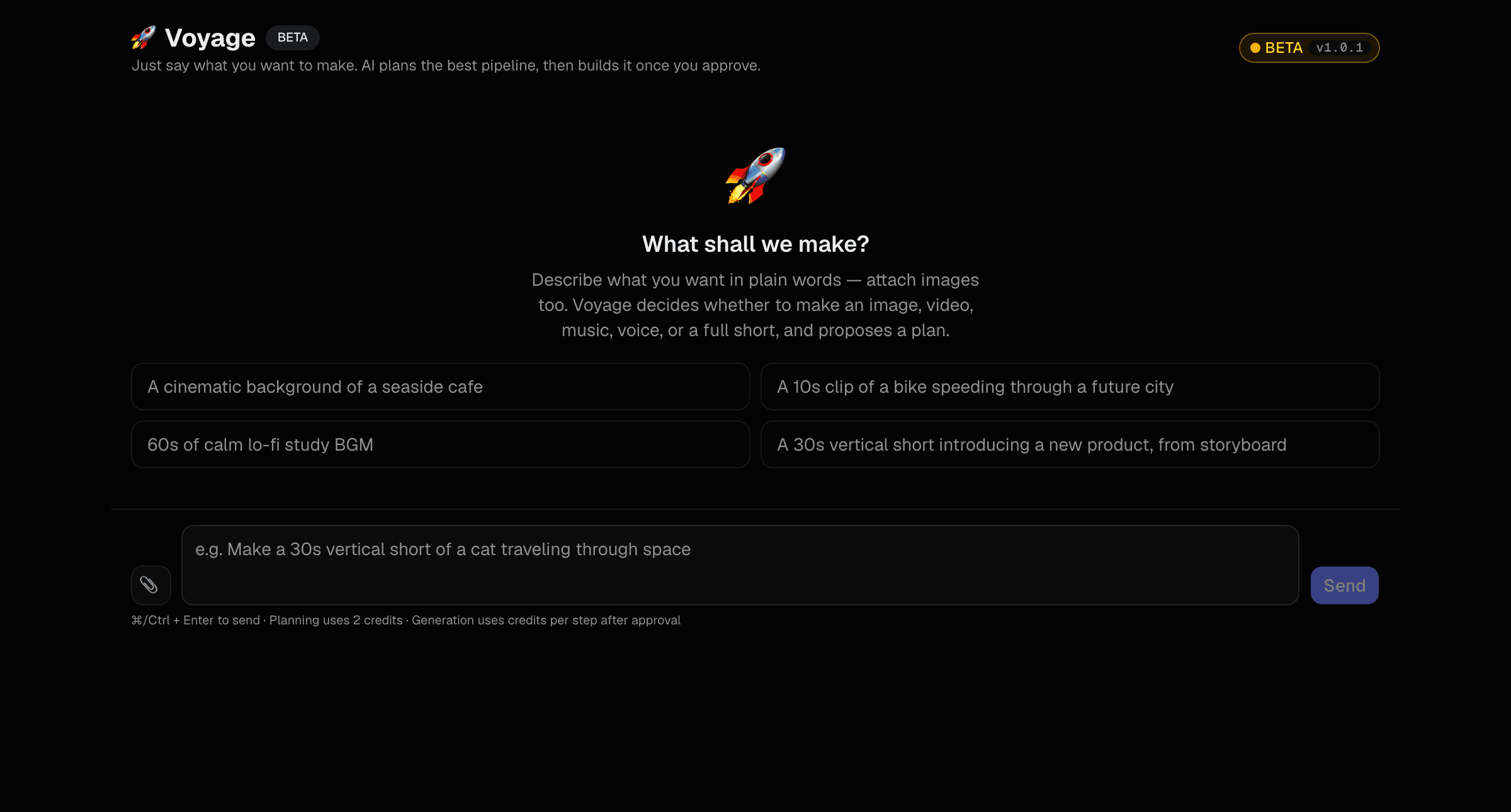
Instead of assembling the steps yourself, describe the outcome and let us build it. Good when you are in a hurry, or unsure of the workflow.
| Feature | You provide | You get |
|---|---|---|
| Voyage (chat to create) | One sentence about the outcome | A proposed plan; approve it and we run it — images, video and audio together. |
| AI Drama Maker | A premise | Script, characters, sets and a multi-shot short |
| AI Short | A single prompt | A vertical short |
| Music Video Maker | A track plus photos or clips | A music video |
| Product video | A few product photos and narration notes | A promo video |
| BriefCast | A PDF, Word or PowerPoint file | An explainer video built from the document |
Nothing runs without you
The agent always shows you the plan and the estimate first. No credits are spent until you approve.
6Studio (one-click)
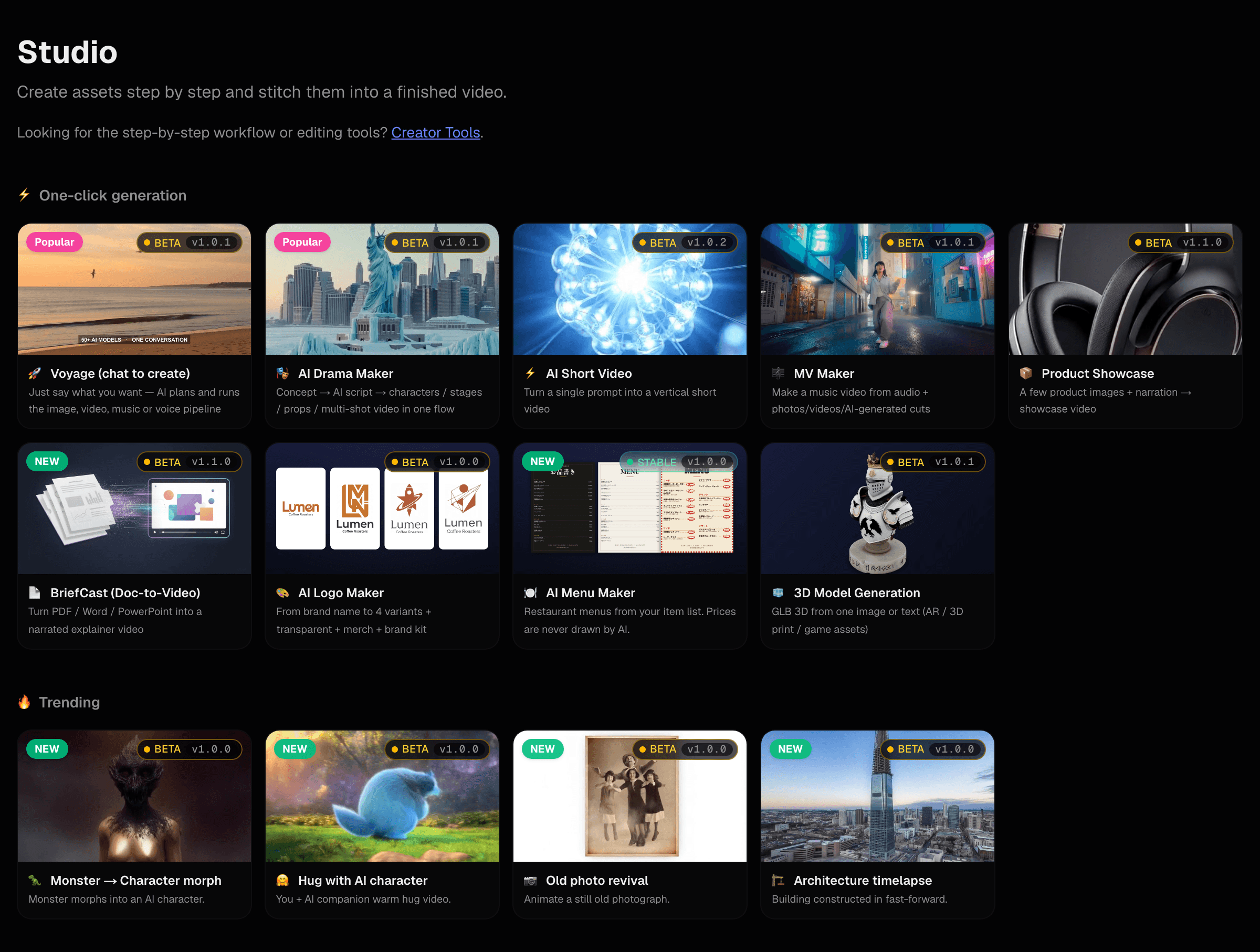
For jobs with a known shape there is a dedicated entry point. Fill in the fields and it runs to a finished piece.
What is in here
The next two chapters list everything in Studio and every single-purpose tool. Use “Open” to jump straight to a screen.
7Everything in Studio
One-click features: hand over material and a sentence, get a finished piece.
One-click generation
| Feature | What it does | |
|---|---|---|
| Voyage (chat to create) | Just say what you want — AI plans and runs the image, video, music or voice pipeline | Open → |
| AI Drama Maker | Concept → AI script → characters / stages / props / multi-shot video in one flow | Open → |
| AI Short Video | Turn a single prompt into a vertical short video | Open → |
| MV Maker | Make a music video from audio + photos/videos/AI-generated cuts | Open → |
| Product Showcase | A few product images + narration → showcase video | Open → |
| BriefCast (Doc-to-Video) | Turn PDF / Word / PowerPoint into a narrated explainer video | Open → |
| AI Logo Maker | From brand name to 4 variants + transparent + merch + brand kit | Open → |
| AI Menu Maker | Restaurant menus from your item list. Prices are never drawn by AI. | Open → |
| Concept Sheet | Images or one line into a sheet. Re-bake a panel and take it to video | Open → |
| 3D Model Generation | GLB 3D from one image or text (AR / 3D print / game assets) | Open → |
Trending
8All tools
Single-purpose tools for the middle of a job. All of them live under “All tools”.
Production workflow
| Feature | What it does | |
|---|---|---|
| Backgrounds | Generate scene backgrounds | Open → |
| Character Maker | Build a character from subject + art style (sheets too) | Open → |
| Scene composite | Composite background + character | Open → |
| Video studio | Video / motion / avatar / multimodal | Open → |
| Voice | Voice & lip sync | Open → |
| Music | Generate BGM automatically | Open → |
| Narration | Video + TTS in one place | Open → |
| Compose | Stitch all parts into one | Open → |
Editing and processing
| Feature | What it does | |
|---|---|---|
| Text removal | Remove text from images | Open → |
| Pixel art | Retro pixel art | Open → |
| Background removal | Transparent PNG output | Open → |
| Image upscaler | Upscale preserving detail | Open → |
| Virtual try-on | Swap clothes on a person photo | Open → |
| Video upscaler | Upscale video to 1080p with Topaz | Open → |
| Video denoise | Remove grain and block noise | Open → |
| Video background remover | Cut subject from video | Open → |
| Sound effects | Generate SFX from prompts | Open → |
9Voice, music and narration
| What you want | Where | Notes |
|---|---|---|
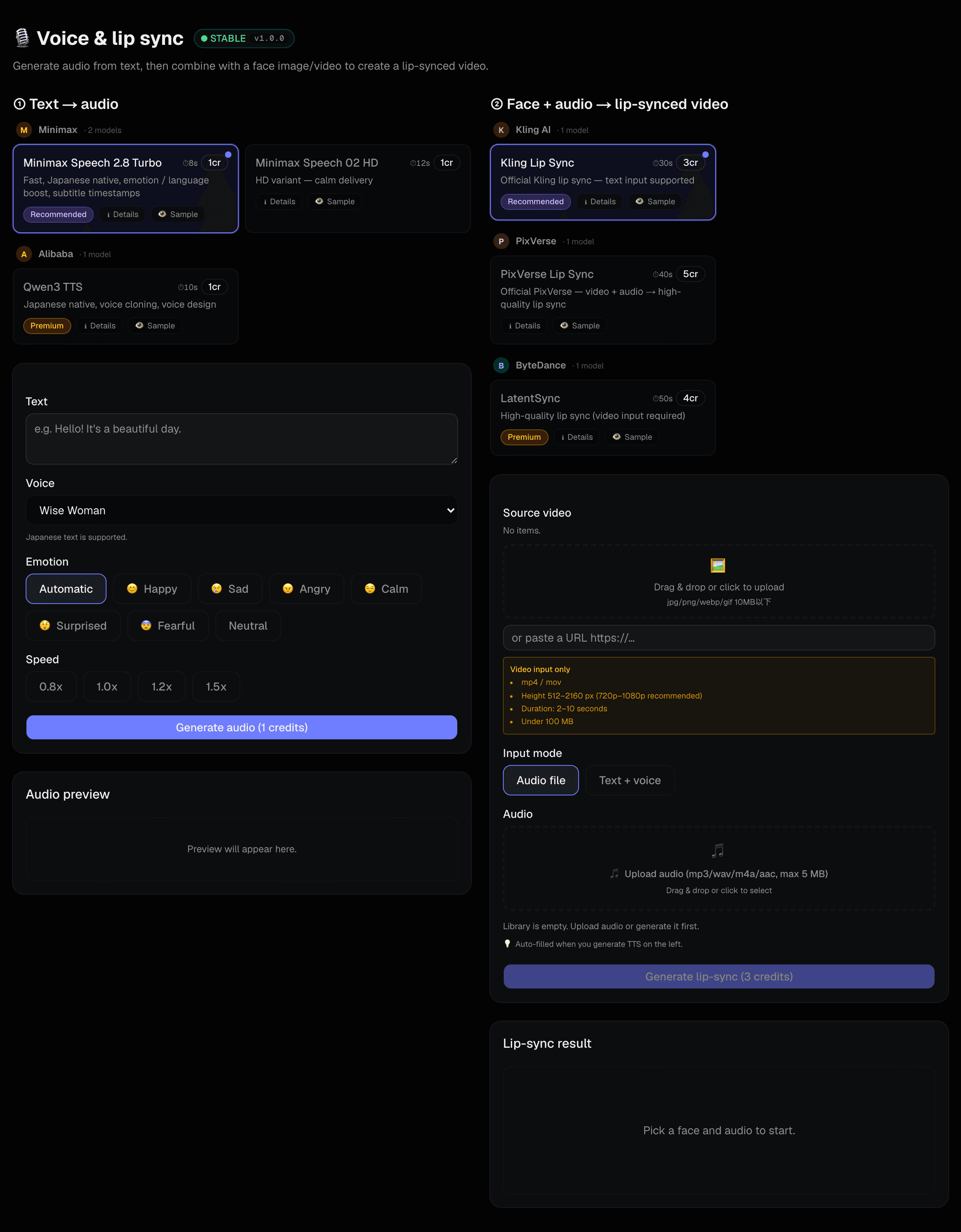
| Read text aloud | All tools → Voice | Japanese voices available. One credit. |
| Add narration to a video | All tools → Narration | Choose the video, generate the voice and mix it — all on one screen. |
| Sync lips to audio | All tools → Voice / lip sync | Video only, ideally 2–10 seconds and under 100 MB. |
| Make background music | All tools → Music | Describe the mood. Vocals are possible too. |
| Make a sound effect | All tools → Sound effects | Footsteps, ambience and so on. |
10Library and projects
Library
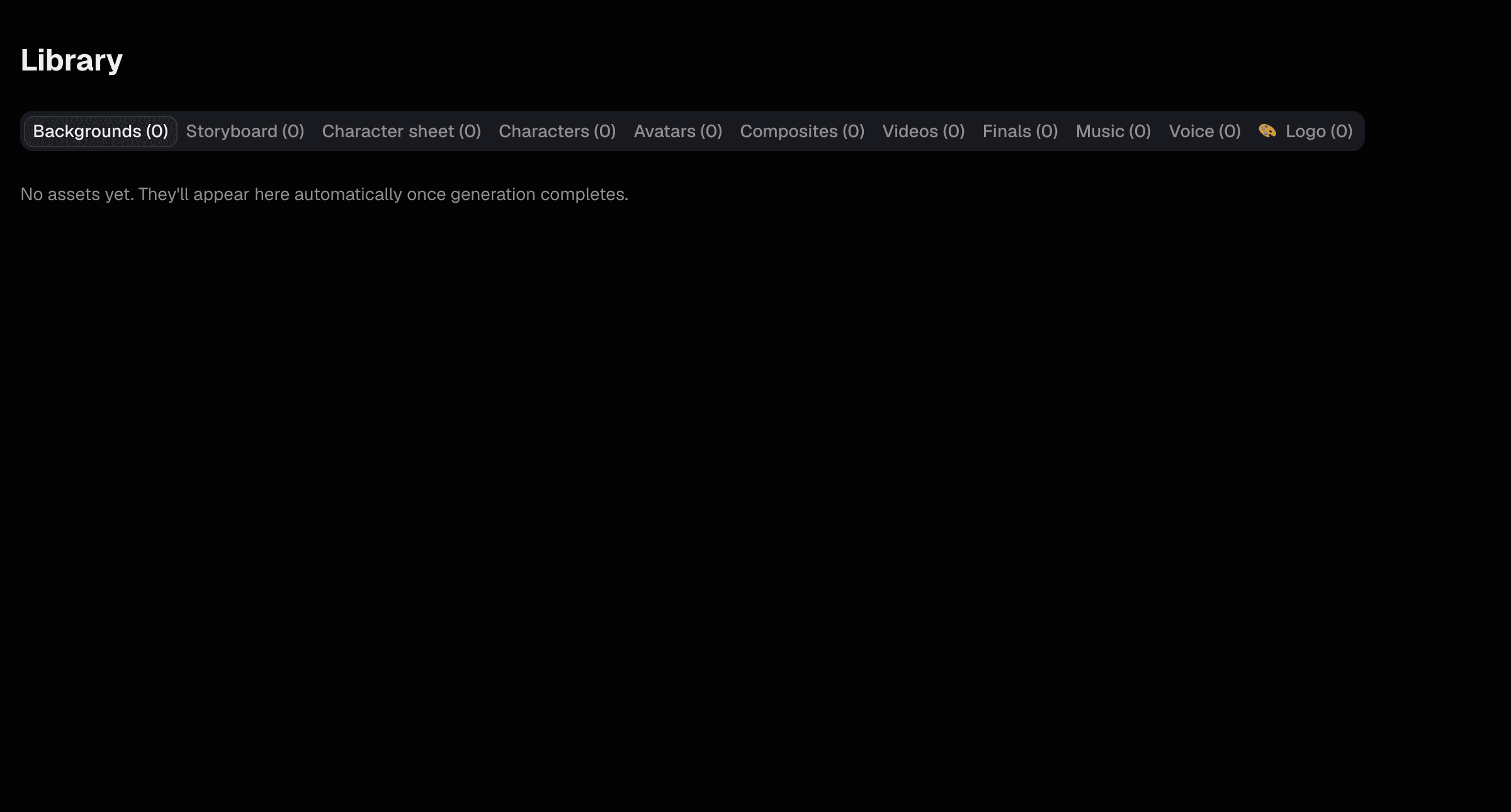
- Everything you make lands in tabs by type — backgrounds, characters, video, music and more.
- Click to enlarge, download or delete.
- You can pick straight from here as input for the next generation.
Projects
A box per job. When a piece of work spans several days, this keeps you from losing track of which assets belong to it. Save into one from any result screen.
Logs
Every generation with its status. Check here when something did not work — failed generations have already been refunded.
11Plans and credits
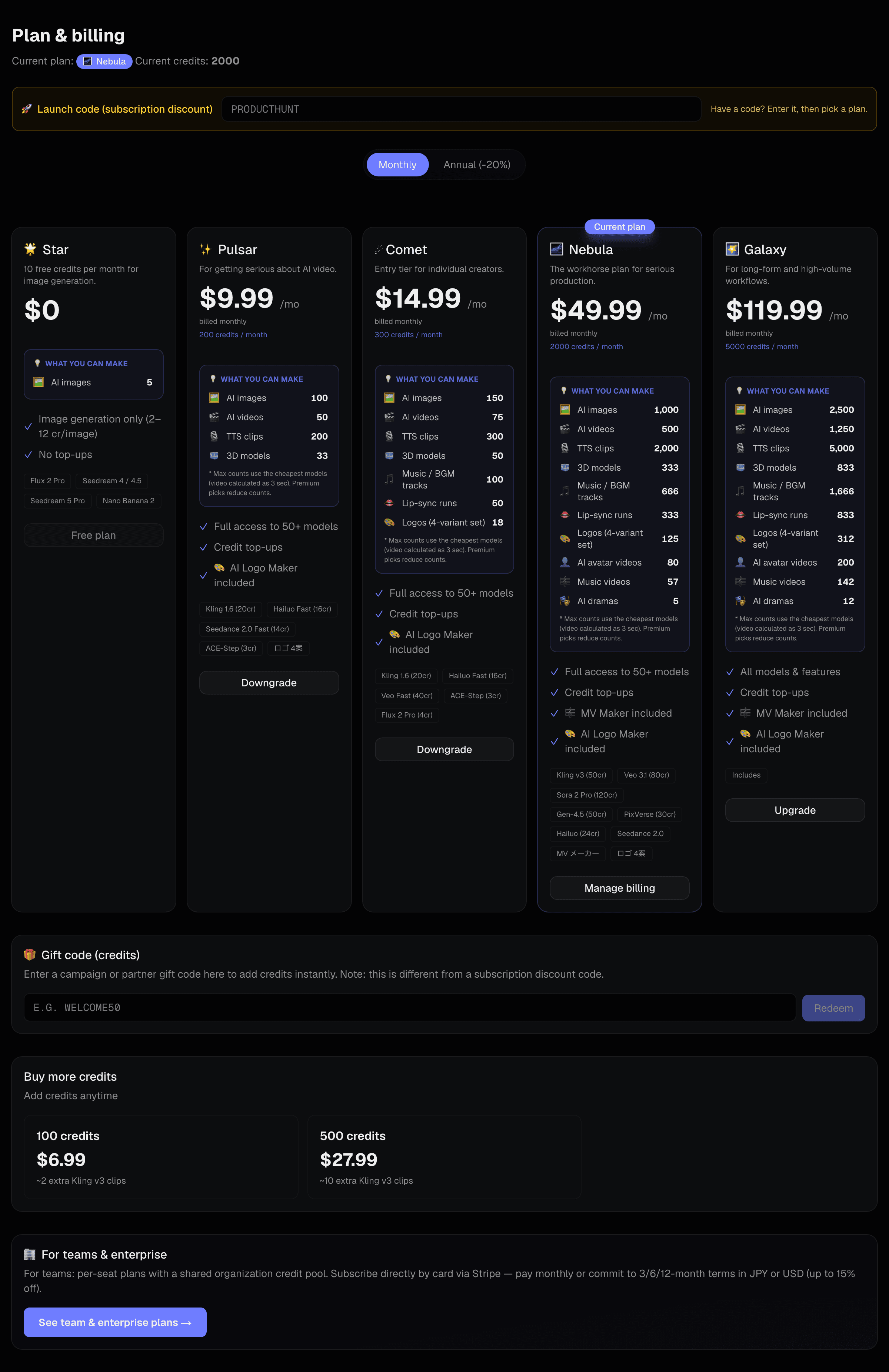
- A monthly plan tops your credits up every month.
- Running low? Buy more — larger packs cost less per credit.
- Prices are in US dollars. Yen figures are approximate and move with the exchange rate.
- For teams there is a business plan where the whole organization shares one credit pool.
12Troubleshooting
| Symptom | What to check |
|---|---|
| It never finishes | Video can take several minutes. Check the status on the Logs screen. |
| It failed | Credits are refunded automatically. Wait a moment and try again. |
| “Insufficient balance” | Top up, or wait for next month. On a business plan, ask your admin. |
| “You have reached your cap” | On a business plan your admin sets a per-person cap. Ask them to raise it. |
| The picture is not what I meant | Put unwanted things in the negative prompt. Writing “no X” in the main prompt backfires. |
| The motion looks wrong | Use a model that takes both a first and a last frame (chapter 4). |
| The downloaded video has no sound | Some models produce no audio. Add it with Narration or Music. |
| I forgot my password | Use “Forgot your password?” on the sign-in page. |
Still stuck?
Use the contact form. Including what the Logs screen shows — time, model and any error — helps us find the cause quickly.